
Dehancer for DaVinci Resolve — The Film Emulation Suite That Actually Feels Analog
Overview & Key Features
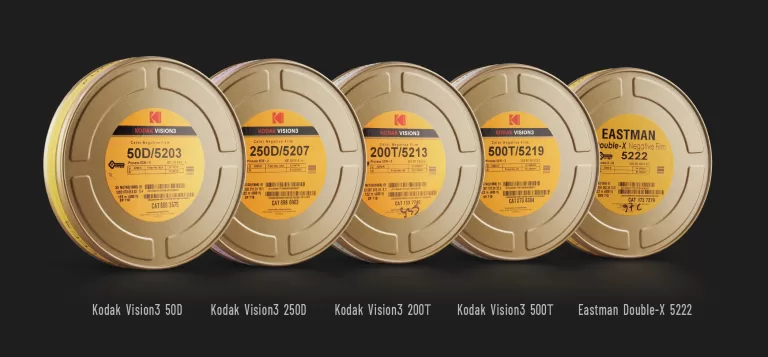
Dehancer is an OFX plugin suite for DaVinci Resolve that models the behavior of analog film from capture to print. Unlike one‑click LUT packs, Dehancer gives you procedural film profiles, realistic grain derived from optical models, halation, bloom, print film stock choices (e.g., Kodak 2383, Fujifilm Eterna), camera log profiles, and utilities like a LUT generator — all GPU‑accelerated to live inside modern color pipelines (ACES, DWG, Cineon).
- Extensive film profiles (color & B&W) plus print film options for a cohesive “film-out” finish.
- Grain, Halation, Bloom that respond to exposure and highlight conditions for natural density and glow.
- Camera Log/IDT profiles and color‑managed workflows (DWG/ACES/Cineon) so it fits neatly into Resolve pipelines.
- Film damage / overscan, gate weave, and framing tools for title cards, archival looks, and stylized sequences.
- LUT Generator & monitoring helpers for hand‑off and on‑set consistency.
- Cross‑platform support: macOS / Windows / Linux for Resolve, with siblings for other NLEs and photo apps.
What’s New in 2025
Dehancer continues to refine performance and stability with incremental updates on the v7 branch, expanding overscan and workflow controls and improving GPU responsiveness on high‑res timelines.
Real‑World Impressions
The look: The win is how Dehancer sits after your primary balancing. With a good IDT and neutral grade, a print stock + modest bloom/halation yields that gentle roll‑off and density you expect from film. Grain breathes with exposure instead of stamping uniform noise.
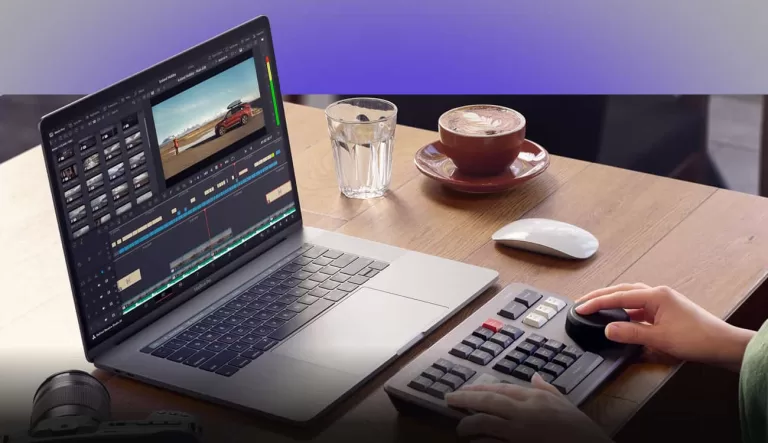
Workflow: In ACES or Resolve Color Management, place Dehancer near the end of your node tree (pre‑display transform if you’re “printing” to a stock like 2383). Start with a film profile, adjust response/contrast, then layer grain → halation → bloom. Save show presets to keep looks consistent across scenes.
Performance: On modern GPUs, interactivity is solid, but stacking heavy halation + bloom + grain on 6K can nudge VRAM; proxies or render cache help on laptops. The plug‑in benefits from current GPU drivers and plenty of VRAM.
Where Dehancer Beats Simple LUTs
- Procedural behavior reacts to the image (exposure and highlight density) instead of a static transform.
- Optical artifacts integrate with highlight roll‑off — halation/bloom feel photographic rather than overlaid.
- Print film stage pulls the whole image together for a cohesive, film‑out finish.
What People Are Saying
- “Closest I’ve come to a true print vibe in Resolve without a DI film-out.”
- “Grain and halation feel photographic, not pasted on.”
- “There’s a learning curve — best results with proper color management.”
- Power users debate building similar looks with native nodes, but many choose Dehancer for its speed + cohesion on paid jobs.
Price & Plans
Dehancer offers plan‑based licensing for individuals and studios, with platform options across macOS/Windows/Linux. You can evaluate a fully functional trial before purchasing. Check current pricing and tiers below. Use code SLATD at checkout to receive 10% off your purchase.
Reasons to Buy
- You want credible film behavior (grain, halation, print) that integrates with ACES/DWG.
- You need repeatable, show‑level looks with presets for speed.
- You deliver to clients who expect a film‑like finish without a photo‑chemical process.
Potential Drawbacks
- Heavy stacks can be GPU/VRAM hungry on high‑res timelines.
- There’s a learning curve to get beyond “plug‑and‑play.”
- If you already hand‑roll halation/bloom/grain in nodes, value depends on your time vs. results.
Pro Setup Tips
- Color‑manage first (ACES or RCM). Keep Dehancer near the end of the chain.
- Start with a print profile (e.g., 2383), adjust tonal response, then layer film profile + grain + halation + bloom.
- Keep halation radius/threshold subtle; let highlights bloom naturally.
- Save show presets and reuse per scene for continuity.
Verdict
Dehancer is the rare “film look” tool that rewards thoughtful grading. If you want a coherent analog finish without building every artifact by hand, it’s a strong buy — and with an approachable trial and flexible plans, it’s easy to evaluate in your own pipeline.