
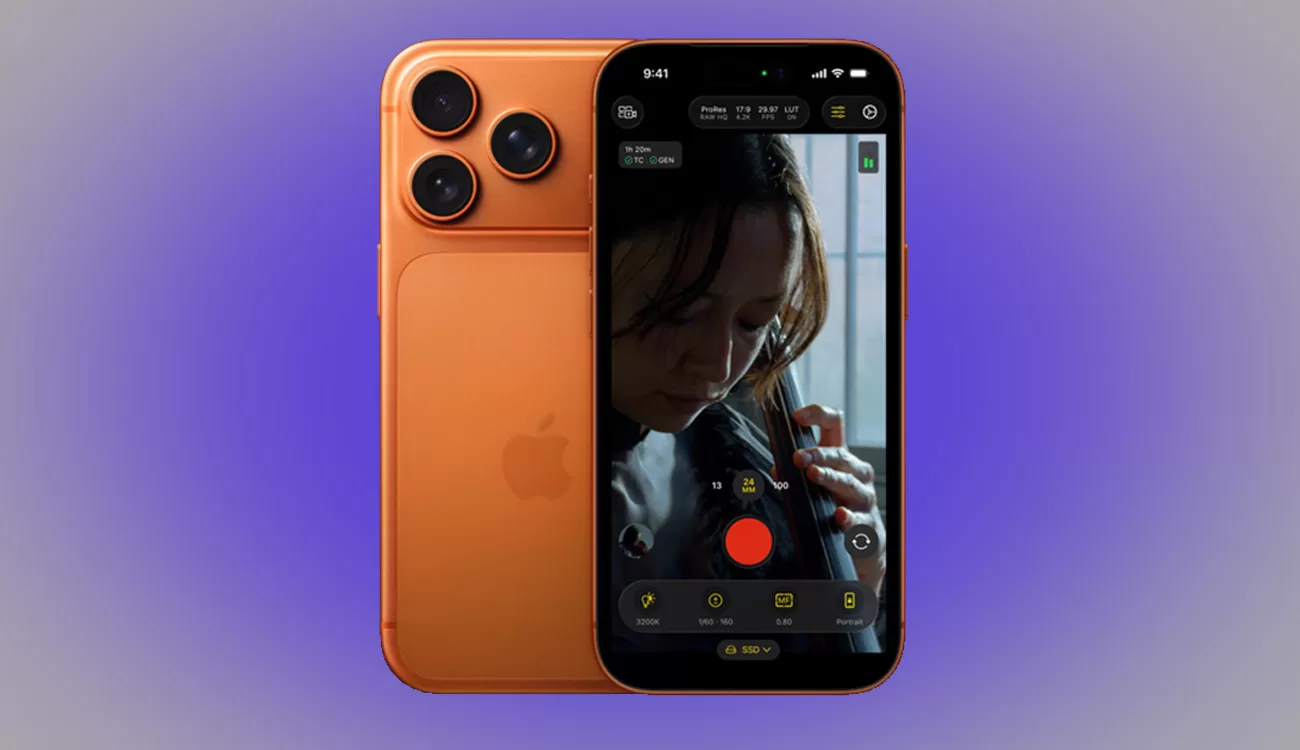
The iPhone 17 Pro in Cinema Context
The iPhone 17 Pro is Apple’s boldest step into filmmaking territory yet. With ProRes RAW capture, expanded dynamic range, and third-party tools like the Blackmagic Mobile Module for timecode sync, it’s being tested as a credible cinema tool. But is it ready for real-world production? We tested it in parallel with professional gear to find out.
Key Features & Specs
- Native ProRes and ProRes RAW recording
- USB-C workflow for external drives and monitoring
- Improved dynamic range over previous generations
- Triple lens array with OIS and low-light optimization
- Pro video apps with waveform and LUT monitoring support
Real-World Impressions
Strengths
- Sharpness: In good light, the 17 Pro looks impressively clean on 4K monitors.
- RAW Workflow: ProRes RAW offers grading flexibility on par with some cinema cameras.
- Compact Rigging: Easy to mount on gimbals and rigs.
- Low Profile: Perfect for guerrilla shooting.
Weaknesses
- Low Light: Noise increases quickly in darker settings.
- Lens Limitations: No interchangeable lenses without adapters.
- Heat: Extended RAW capture can trigger thermal limits.
- Timecode: Requires Blackmagic Mobile Module for proper sync.
Sync & Timecode with Blackmagic Mobile Module
The Blackmagic Mobile Module enables iPhones to participate in timecode workflows, ensuring synced footage across multiple cameras. This transforms the 17 Pro from a solo device into a proper B‑cam in professional environments. Real-world reports note occasional sync drift, but overall it’s a huge step forward.
Buy Blackmagic Camera ProDock on B&H
Comparison to Cinema Cameras
| Feature | iPhone 17 Pro | Dedicated Cinema Cameras |
|---|---|---|
| Sensor Size | Small phone sensor | Super 35 / Full Frame |
| Lenses | Fixed, adapters required | Interchangeable cinema glass |
| Dynamic Range | Good, limited in shadows | Wide DR, filmic highlight roll-off |
| Timecode | Requires module | Built-in professional sync |
| Size/Weight | Extremely compact | Larger rigs |
Workflow Tips
- Use proxy workflows to keep editing smooth.
- Rig external batteries for long shoots.
- Monitor temperature and record in bursts.
- Employ anamorphic adapters for cinematic lensing.
- Offload media often to avoid risk of data loss.
What People Are Saying
Reasons to Use iPhone 17 Pro in Cinema
- Excellent B‑cam or crash cam option
- Stealth shooting in sensitive environments
- Budget-friendly for indie productions
- Great for gimbal, drone, or insert shots
Price & Where to Get It
Buy Blackmagic Camera ProDock on B&H
Verdict
The iPhone 17 Pro cannot fully replace professional cinema cameras, but in controlled conditions it produces credible results. With ProRes RAW and the Blackmagic Mobile Module for timecode, it fits into hybrid workflows as a legitimate production tool. For filmmakers seeking flexibility, portability, and stealth, it’s a compelling option.
Join the Conversation
Have you tried using the iPhone 17 Pro for filmmaking? Share your thoughts and results in the comments below to help the Slatd community.