SmallHD Adds Canon Camera Control for C70, C80, C300 Mark III, C400 & C500 Mark II
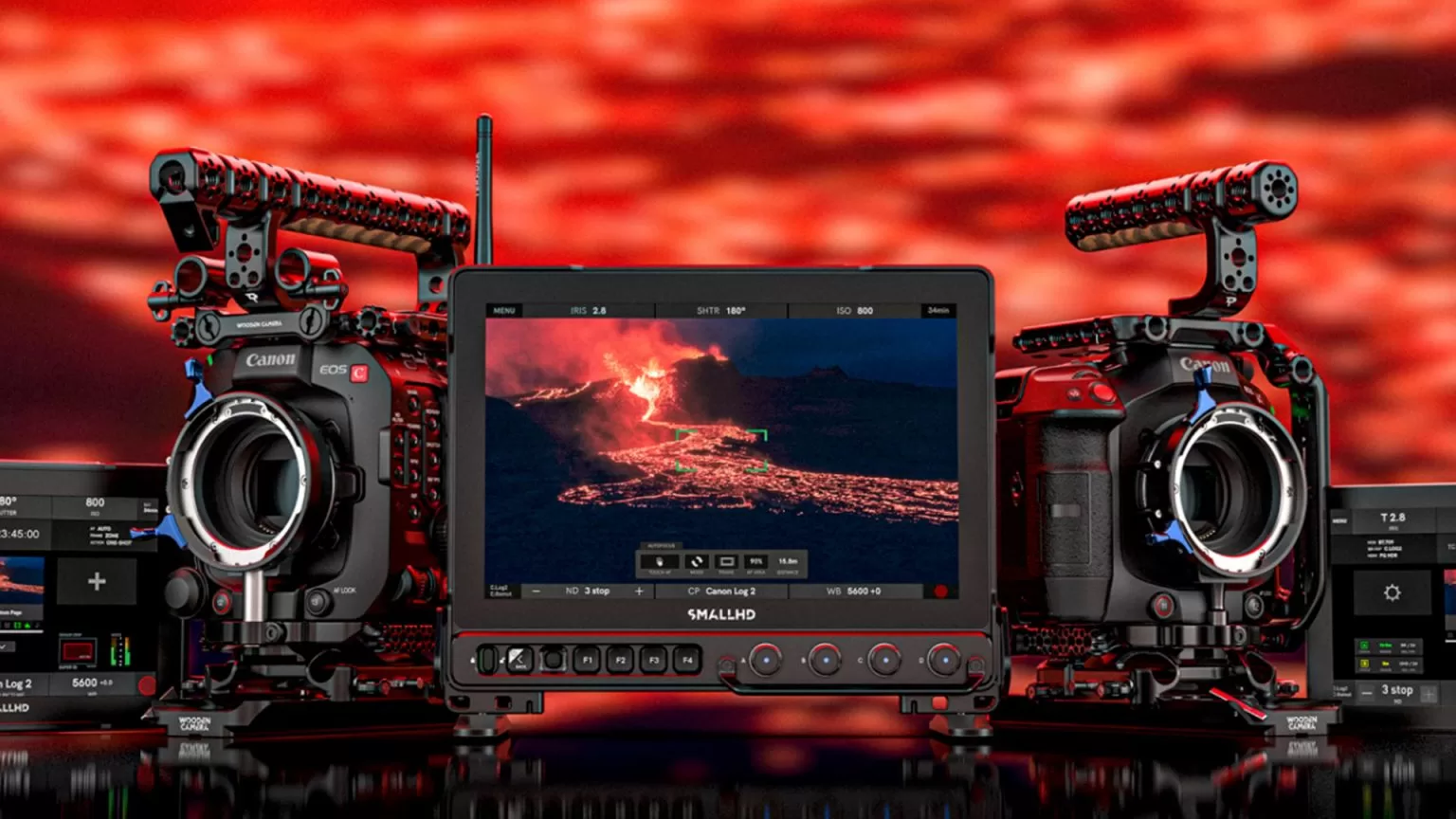
SmallHD has rolled out a paid Canon Camera Control upgrade for a wide range of their monitors, giving you deep control over popular Canon cinema cameras straight from PageOS. Supported bodies include the C70, C80, C300 Mark III, C400, and C500 Mark II. Once your monitor is updated to the latest firmware and properly connected, you can view your shot, tweak key settings, and even dive into the camera’s menu system directly from your SmallHD display.
What Canon Camera Control Can Do
The Canon Camera Control upgrade essentially turns your SmallHD monitor into a remote control surface for your Canon cinema body. From the PageOS interface, you can:
- Adjust Shutter Speed, Aperture, ISO, and Internal ND
- Change Codec and other key recording parameters
- Trigger Record Start/Stop from the monitor
- Take advantage of Touch-to-Focus compatibility (where supported)
- Navigate through the deep camera menu UI without touching the camera body
This all happens on top of your normal SmallHD monitoring tools, so you can keep using things like waveform, false color, focus peaking, and custom Pages while making camera changes from the same interface.
Note: Your SmallHD monitor must be updated to the latest firmware to enable Canon Camera Control.
Supported Canon Cameras
- Canon EOS C70 (requires USB-C to Ethernet adapter)
- Canon EOS C80
- Canon EOS C300 Mark III
- Canon EOS C400
- Canon EOS C500 Mark II
Supported SmallHD Monitors
The upgrade supports a wide spread of SmallHD production and on-camera monitors:
- Cine 5
- Ultra 5 / Ultra 5 RX / Ultra 5 TX
- Cine 7
- CINE7 500 RX / CINE7 500 TX / CINE7 SK RX
- Ultra 7 / Ultra 7 RX (750 & 1500) / Ultra 7 TX (750 & 1500)
- Ultra 10 / Ultra 10 RX
- Cine 13
- Cine 18
- Cine 24
- Vision 17
- Vision 24
- OLED 22
- OLED 27
- Quantum 27
- Quantum 32
For detailed hardware specs and step-by-step installation instructions, SmallHD provides per-monitor documentation and diagrams on their site.
Connection & Adapter Requirements
Getting camera control working isn’t just a firmware toggle — you’ll need the right cables and adapters depending on your camera and monitor combo.
Canon C70
- Requires a USB-C to Ethernet adapter for camera control.
- Some adapters may not work reliably. If a current adapter fails, SmallHD recommends using a tested and approved option such as the Belkin USB-C to Gigabit Ethernet Adapter.
- You’ll also need an Ethernet cable with RJ45 connectors on both ends for a direct run.
Canon C300 Mark III / C500 Mark II
- For a direct Ethernet connection, you’ll need a Canon EU-V1, EU-V2, or EU-V3 Expansion Unit.
- For a Wi-Fi connection, you’ll need the Canon WFT-E9A Wireless File Transmitter.
Direct Ethernet to SmallHD Monitors
- If you’re using a direct Ethernet connection to a Cine 5, you will need a 5-Pin USB to Ethernet Adapter.
- 4K production monitors (Cine 13/18/24, Vision, OLED, Quantum) already have USB, which can be used with a third-party Wi-Fi adapter when going wireless.
Wi-Fi & 5–7" Monitors
- If you are using a 5" or 7" monitor for a Wi-Fi connection, you will need:
- A third-party Wi-Fi adapter
- A Locking Connector to USB Adapter Cable (for secure integration)
- If you are using this adapter with Cine 7, you will also need a Micro USB to 5-pin Adapter.
SmallHD also offers a camera-by-camera walkthrough for connection and setup:
- Canon Camera Control EOS C300 Mark III / EOS C500 Mark II
- Canon C400 Camera Control
- Canon C70 Camera Control Setup
- Canon C80 Camera Control Setup
And for each compatible monitor, there is a specific hardware connection breakdown so you can see exactly what your rig will require.
Pricing & Real-World Value
The Canon Camera Control license itself costs about $400. On top of that, certain Canon bodies will need additional hardware (wired or wireless) to complete the pipeline:
- Wireless option – C300 Mark III / C500 Mark II: requires the Canon WFT-E9A Wireless File Transmitter, which retails around $730.
- Hardline option – C300 Mark III / C500 Mark II: requires the Canon EU-V3 Expansion Unit, which is roughly $2219.
So while the software license is already a decent investment, the total cost of entry can quickly climb once expansion units, transmitters, and approved adapters are factored in.
Is SmallHD Camera Control Worth It?
Camera control from a monitor tends to be a love-it-or-leave-it feature. For many operators who know their Canon cinema bodies inside and out, making changes directly on the camera can still feel faster and more intuitive than navigating an on-screen UI. In fast-paced documentary or run-and-gun environments, every extra tap or swipe can feel like friction.
On the other hand, the value of monitor-based control really shows up when the camera is:
- Rigged in tight or awkward positions (car rigs, cranes, jibs, gimbals, high or low angles)
- Buried inside a build where physical buttons are hard to reach
- Operated remotely while the monitor becomes the main interaction point
- Shared between a DP, operator, and DIT who all want quick access to exposure and codec changes from video village
There are also competitive options on the market: for example, some monitors like the Portkeys BM5IV WR 5.5" sit around the mid-$700 range and include various camera control protocols at no additional software cost. That comparison makes SmallHD’s $400 add-on — plus any required Canon expansion hardware — feel like a premium play aimed at shooters who are already invested in the PageOS ecosystem and want deeper integration rather than a budget-friendly shortcut.
Ultimately, the upgrade makes the most sense for:
- High-end owner-operators running Canon C70/C80/C300mkIII/C400/C500mkII with SmallHD monitors who want a unified control surface and minimal menu-diving at the camera.
- Crews and rental builds where cameras frequently live on remote heads, cranes, vehicles, or gimbals.
- DITs and video village setups where PageOS is already the central control hub for exposure tools, LUT management, and monitoring.
For solo shooters who rarely work in remote-rig scenarios, Canon Camera Control may feel more like a high-end convenience than a must-have. For productions that live and die by how quickly they can adjust exposure, codecs, and ND on complex rigs, it can be the kind of feature that pays for itself in saved time and smoother on-set workflow.